


Microsoft is releasing enhancements for Windows Update that will give customers more control over the installation process and lessen the disturbance caused by frequent or improperly timed restarts.
According to the Microsoft, the enhancements are currently being made available to Windows Insiders in response to user input that identified two major problems: updates are interfering with workflows and there is no control over when they are installed.
Microsoft’s Aria Hanson explained:
“We are continually reading the feedback submitted about the Windows update experience. Personally, I’ve had the opportunity to read over 7,621 direct verbatims over the last few months. Across this feedback there are two key themes that persistently pop out: disruption caused by untimely updates and not enough control over when updates happen.
The changes we’re rolling out today are focused on giving Windows users more control over their PC experience, while keeping devices secure by design and by default.”
With this new update from the MicroSoft, Windows users can now reach the desktop more quickly and install updates whenever it’s most convenient thanks to a new feature from Microsoft that allows them to skip updates during the out-of-box experience (OOBE). Systems that need upgrades to operate or managed commercial devices are not eligible for this option.
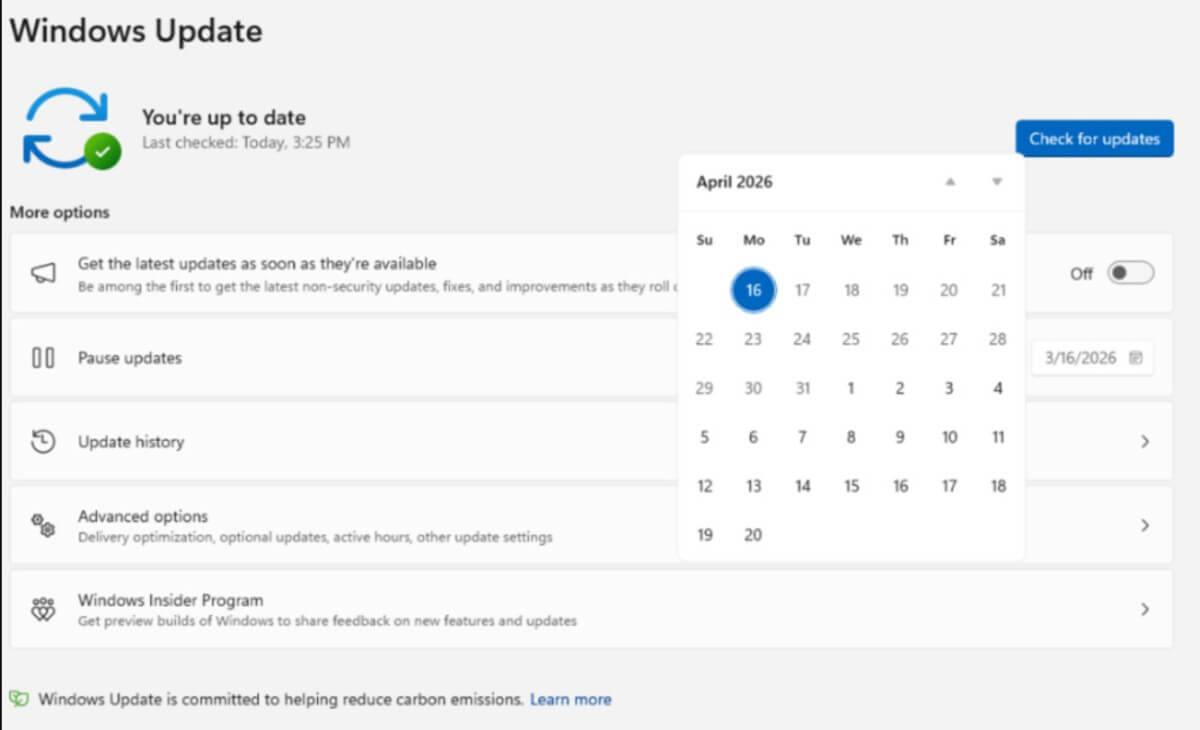
The business is now changing the way update pauses operate so that Windows customers can utilize a flyout calendar interface to choose a specific date to delay updates for up to 35 days. After that, there is no limit to how long this pause can be prolonged.
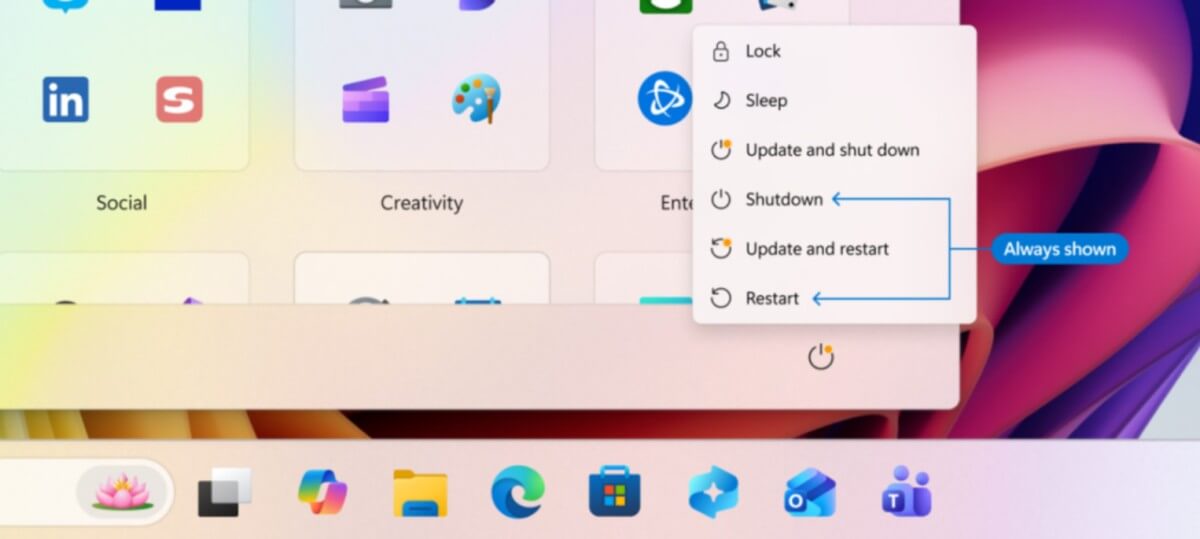
Unexpected updates during shutdown or restart are a common concern that is addressed by another adjustment.
While the typical “Update and restart” and “Update and shut down” options are used when updates are ready to be installed, the Power menu will now give “Restart” and “Shut down” alternatives without initiating updates.
Additionally, Microsoft claims to be more transparent about how they provide updates, particularly drivers, which are frequently provided under the same business name but don’t specify which device they are intended for.
In order to assist users in understanding what is being installed, Windows Update will now show the device type—such as display, audio, or battery—directly in the update title.
Lastly, by combining several update types into a single monthly restart, Microsoft is minimizing disruptions. For instance, in order to minimize the number of necessary reboots, driver, firmware, and.NET upgrades will now be deployed in addition to the monthly cumulative updates.
Hanson stated:
“Updates will download in the background, then will wait for a coordinated installation and restart. This installation and restart will align with the next Windows quality update or other update that you manually approve. Users can always acquire all or specific updates earlier if desired by initiating download, install, restart (if applicable) for available updates.”
The capabilities will eventually be made available to all users after first being made available to Windows Insiders in the Dev and Experimental channels.