

You may soon be able to search the web without launching Google Chrome. The majority of us use Google Search on Chrome in the same manner: launch the browser, enter a query in the address bar, and watch for the results page to appear. It’s possible that Google is investigating a shortcut that completely avoids a number of those processes.
Google is testing a new floating search interface for Chrome that can be called from any location on your desktop, according to Windows Report (which was first noticed by tipster Leopeva64). According to reports, the feature was discovered in Chrome Canary, Google’s experimental testing release. On Windows, it may be activated by using the Ctrl + Shift + Space keyboard shortcut.
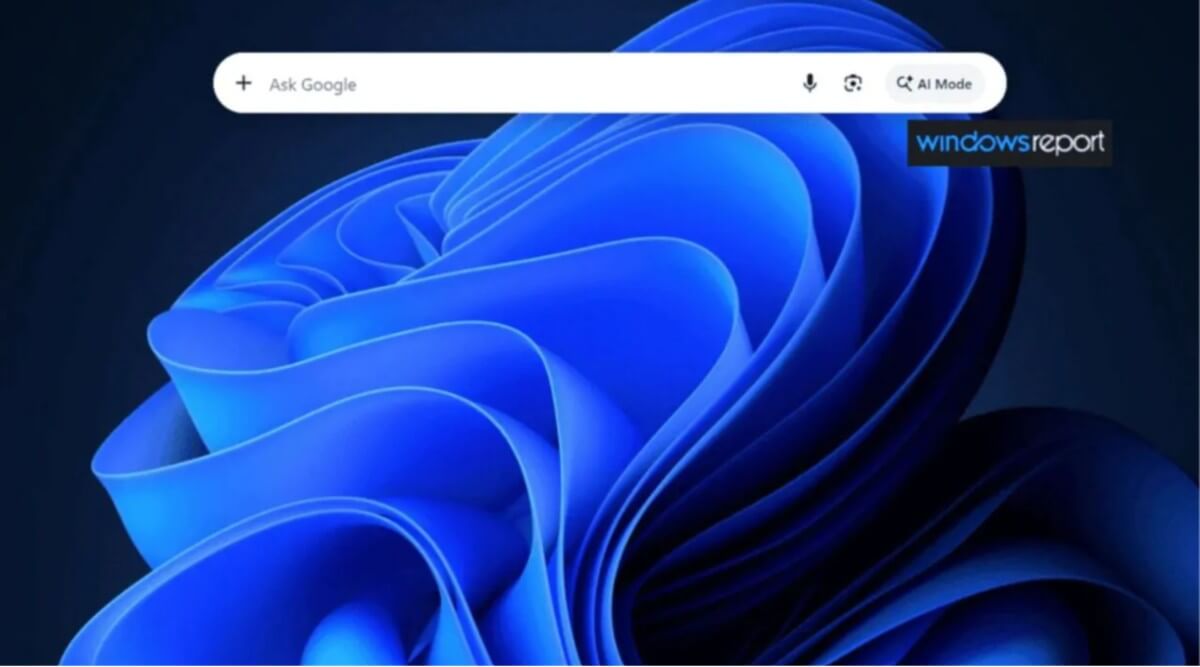
The shortcut displays a small search bar in the center of the screen rather than launching a browser window. It is comparable to Microsoft’s PowerToys Run tool on Windows or Apple’s Spotlight Search on macOS.
The fact that Google seems to be incorporating AI features right into the experience is really intriguing. According to reports, the floating search panel has an AI Mode that lets users use Google’s AI technologies from the same interface as conventional searches.
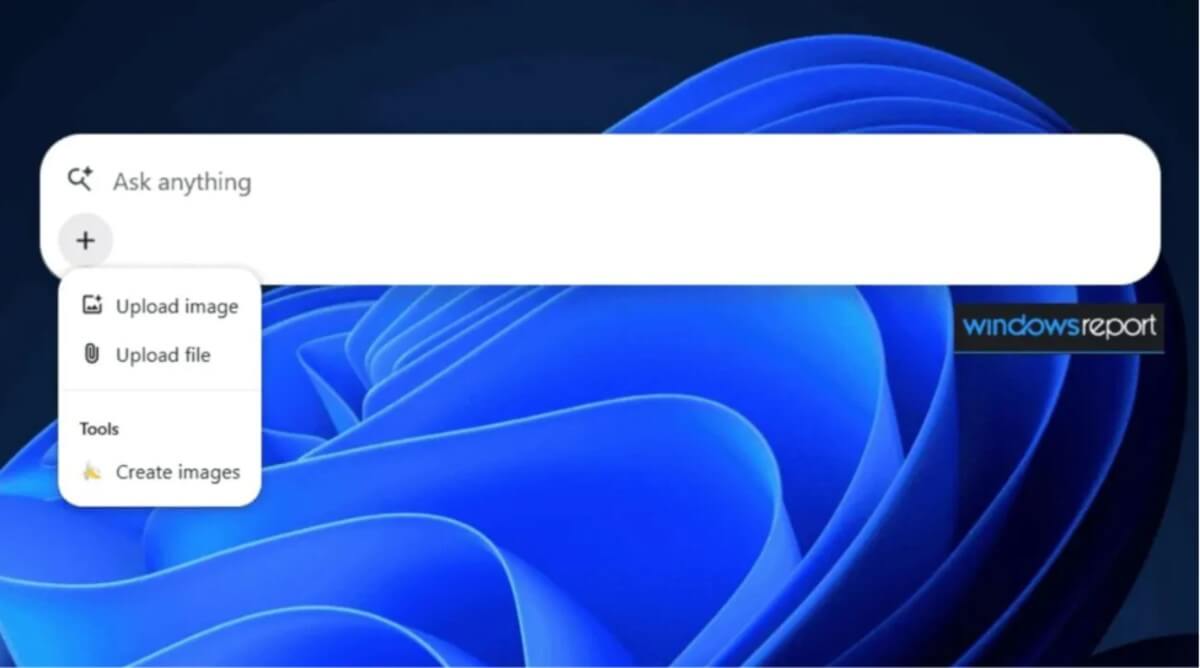
Additionally, it appears that the search window is intended for purposes other than text queries. Users can upload files and photographs using the built-in “+” button, and the interface also includes tools for creating images. This implies that you might use a single, centralized panel for web searches, document analysis, image uploads, and AI-generated content creation.
Google is hardly the first business to use this strategy. A few years back, Microsoft released a comparable floating search feature for Edge. The main distinction is that Google’s version seems to be considerably more AI-focused, which is consistent with the company’s larger efforts to integrate generative AI into almost every aspect of its ecosystem.
Nevertheless, you shouldn’t anticipate using this feature anytime soon. According to the source, the tool is now an early prototype that is concealed in Chrome Canary behind a developer flag. Many experimental features never make it into public versions, and they frequently undergo considerable changes during development.
The shortcut is Ctrl + Shift + Space for Windows and Linux users, and Cmd + Shift + Space for macOS users, should Google choose to ship it. For the time being, though, it’s best seen as an intriguing look at how Google can reconsider how users access Search in a world that is becoming more and more AI-driven.