

Your Windows update is being modified by Microsoft after 15 years, the business is discontinuing Secure Boot certificates for the majority of PCs and releasing an upgrade that includes a serious “Red” warning when “action is needed.” However, Microsoft has confirmed that users are experiencing “disruption from Windows Update,” which means that the entire update process is also changing.
Windows Insider lead Marcus Ash posted on Friday:
“The changes we’re rolling out today are focused on giving Windows users more control over their PC experience, while keeping devices secure by design and by default.”
Microsoft is altering the way the shutdown and restart options are shown when updates need to be installed, in yet another surprising statement that was sparked by the numerous memes about the topic. It is possible to restart and shut down devices without starting the update procedure. Microsoft gave a statement:
“We’re improving this experience by clearly separating power actions from update actions. With this change, the Power menu will always show the standard Restart and Shut down options, meaning you will always have a choice to just restart or shut down your device without having to install the pending update.”
Microsoft admits that:
“Updates are an important part of keeping your PC secure and running smoothly, but at the wrong time, they can also critically break your flow.”
Additionally, PC upgrades can now be stopped during the OOBE (out of box experience). Users initially come across updates during the initial Windows install during OOBE. These are typically an easy process, but considering the history of recent upgrades, it’s best to be safe than sorry when it comes to obtaining the most recent. Therefore, these can be avoided, but only on consumer devices because commercial equipment are probably under organisational oversight. Microsoft added:
“Earlier this year, we added the control to immediately skip updates during device setup—giving you the option of landing on the desktop faster and getting updates later or getting updates right away and landing on a PC that has all the latest features and fixes.”
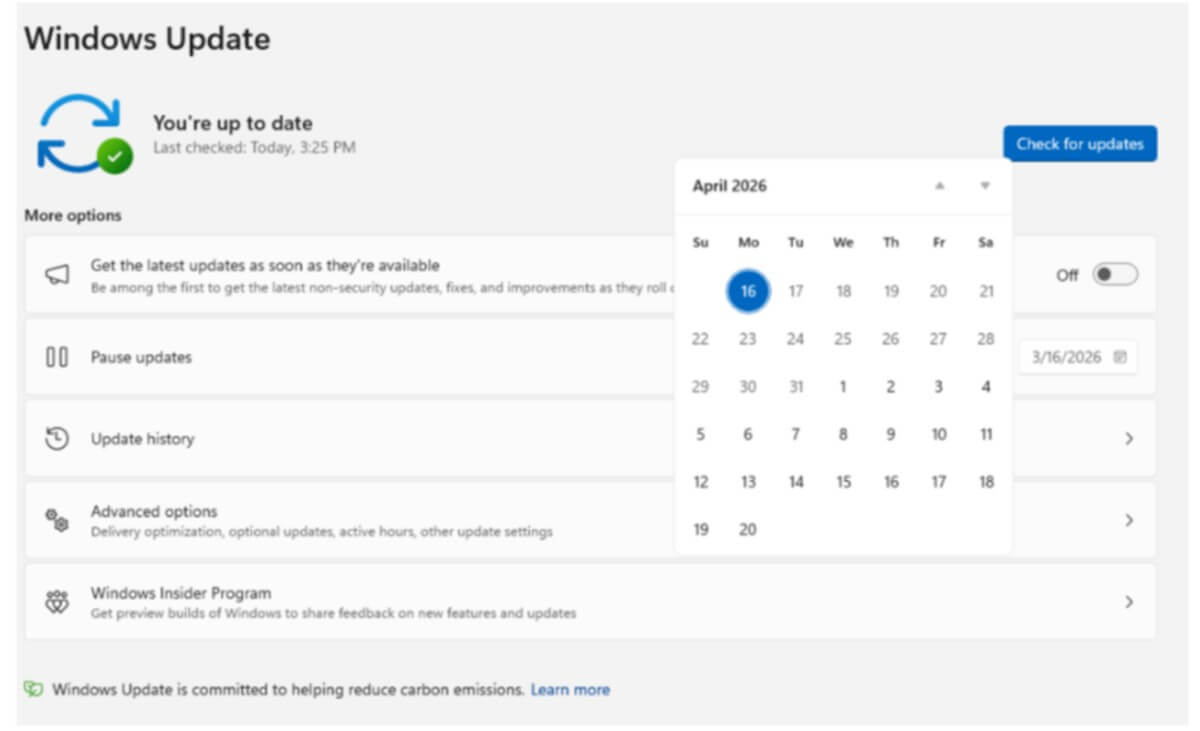
Security updates may not always be an immediate concern, but Windows used to always advise installing them. Some, nevertheless, might be completely avoided. Updates for Windows 11 may be postponed by halting them, but Microsoft is now letting customers do so for up to 35 days. Users can re-enable these pauses as much as they’d like, which is a perk. Even while it’s still not as tidy as an on/off toggle, it’s good to know that you can stop bothersome, uninvited updates. Microsoft also said:
“When 35 days just isn’t long enough, we are also enabling you to extend the pause end date as many times as you need. This means you can now re-pause for up to 35 days at a time, with no limits on how many times you can reset the pause end date.”
According to Windows Latest:
“Microsoft admitted that constant Windows updates were nagging users, and it’s an understatement, considering that we almost always used to get three updates a month, while having to reboot every time.”