

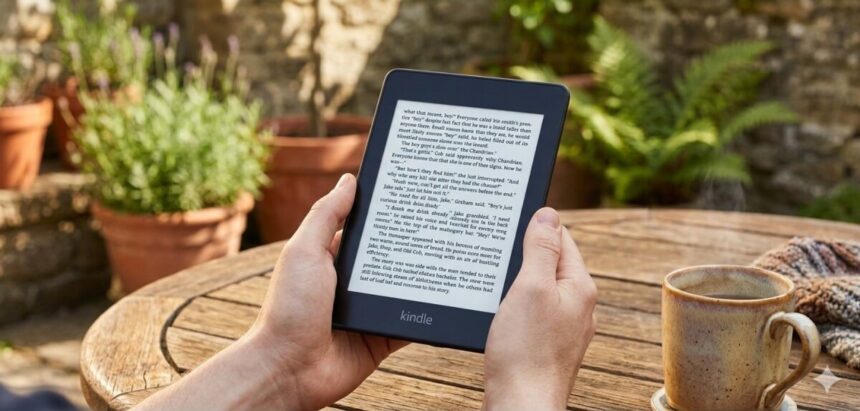
After learning that Amazon is discontinuing technical assistance for older models, a lot of people are jailbreaking their Kindle. Amazon will stop supporting the following Kindle devices on May 20:
- Kindle 1st Generation
- Kindle 2nd Generation
- Kindle DX
- Kindle DX Graphite
- Kindle Keyboard
- Kindle 4
- Kindle 5
- Kindle Touch
- Kindle Paperwhite 1st Generation
- Kindle Fire 1st Generation
- Kindle Fire 2nd Generation
- Kindle Fire HD 7
- Kindle Fire HD 8.9
Users will only be allowed to read information that has already been downloaded on their devices as a result of the change. People are jailbreaking them, of course.
Bypassing software limitations of Amazon on Kindle devices is known as “jailbreaking.” Custom fonts, new screensavers, alternate reading applications, and even third-party utilities that increase the functionality of the Kindle can be installed by users through this approach.
It’s crucial to remember that jailbreaking a Kindle could be against Amazon’s terms of service. For personal use, jailbreaking is not illegal in many areas, but if it involves copyright infringement, illicit software distribution, or the sale of changed devices, it might be.
The sole objective of this guide is to provide information. Always follow the law and exercise caution.
How are older Kindles being jailbroken?
Instead of being compelled to purchase a new gadget, many Kindle owners who choose to jailbreak see it as a way to take control of an item they bought that is still operational.
But jailbreaking is complicated and risky, with the potential to make the device unusable if something goes wrong. Additionally, not all Kindle models or firmware versions support it, so Kindle owners should check if their device is compatible before continuing.
Following compatibility confirmation, an owner will take several additional actions:
- To stop Amazon from updating the Kindle and fixing jailbreak vulnerabilities, turn off Wi-Fi or switch to aeroplane mode.
- Get a jailbreak package from reputable internet discussion boards. There is a chance that files from unidentified sources could be harmful, therefore only download files from reliable sources. (Many people consider the MobileRead Forum to be a trustworthy choice.)
- Get the Kindle jailbreak zip file, which contains a hotfix to keep the jailbreak active.
- Use a USB connection to link the Kindle to a computer. Next, transfer the.bin files straight to your Kindle’s main folder. To begin the installation process, either type ;log mrpi in the Kindle’s search bar or navigate to the settings and choose “Update Your Kindle.”
- To manage apps and customisations on a jailbroken Kindle, install the Kindle Unified Application Launcher (KUAL).
- For Kindles that have been jailbroken, users can also install KOReader, a well-known open-source e-book reader. It has a built-in file browser, improved PDF handling, and support for several file formats, including EPUB.
Considerations for drawbacks Jailbreaking involves trade-offs. Unauthorised software might cause unanticipated problems, such frequent app crashes or, in the worst situation, a device that isn’t working at all. Additionally, utilising third-party apps and jailbreaking could shorten battery life.
If you’re looking for a more secure option, you can always use a USB cord and a computer to sideload books onto your Kindle without changing the system software. Other comparable gadgets include the Boox Palma, the Vivlio e-reader, and even this little Xteink X3 that fits on the back of your phone.